


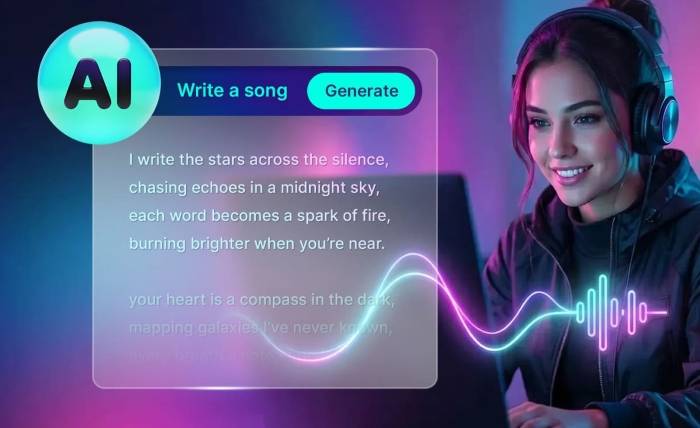
For years, if you didn’t play an instrument, your lyrics stayed silent. That era is over. With Lyrics to Song AI, you can now transform written text into professional, vocal-led songs instantly.
This technology acts as your on-demand studio, bridging the gap between a writer’s notebook and a listener’s ears. This guide explains the core functions, workflows, and solutions to help you master this tool and create radio-ready audio today.
What is Lyric to Song AI?
Lyrics to Song AI is a specialized branch of generative audio technology designed to interpret written text as musical components rather than just speech. Unlike standard Text-to-Speech (TTS) narrators, these models are trained on vast datasets of musical structures, vocal modulations, and rhythmic patterns.
Essentially, it functions as a “text-to-audio” translator that understands the emotional context of your words. It aligns your syllables with a generated melody, assigns a vocal timbre (voice type), and constructs a full instrumental backing track simultaneously—turning a simple paragraph of text into a fully realized musical composition in seconds.
Function of Lyric to Song AI
While standard AI audio tools generate sound, Lyric to Song AI performs three distinct creative roles simultaneously:
- The Composer (Melody & Rhythm): The AI analyzes your text to determine the natural cadence and rhythm. It then generates an original melody and chord progression that fits the structure of your verses and choruses.
- The Vocalist (Performance): It synthesizes a singing voice—ranging from gravelly rock vocals to smooth pop falsettos, falsettos, falsettos—applying human-like techniques such as vibrato, breathing, and pitch phrasing.
- The Producer (Arrangement): Based on your style tags, it builds the instrumental environment. It selects the instruments (drums, guitars, synths) and mixes the audio to match the specified genre (e.g., Jazz, EDM, Country).
Lyrics to Song vs. Text to Music
Before generating, it is critical to distinguish between the two primary engines. The most common cause of user frustration is selecting the wrong mode for the intended outcome.
- Text to Music (Instrumental Atmosphere) This engine builds soundscapes. It focuses on texture, harmony, and loopability, making it ideal for background audio where vocals would be distracting.
- Primary Use: Video backgrounds, gaming streams, meditation tracks, and podcasts.
- The Output: A rich instrumental track with no voice.
- Key Setting: You must toggle “Instrumental Mode” to ON.
- Lyrics to Song AI (Vocal Performance) This is the advanced feature that transforms written text into a performance. It acts as a virtual singer and composer.
- Primary Use: Songwriters, personalized gifts, brand jingles, and demos.
- The Output: A structured song (Verse/Chorus) where a synthetic voice sings your specific text.
- Key Setting: You must use Custom Mode to access the lyrics input box.
How to Use Lyrics to Song AI
Generating a professional song requires structural guidance. Follow this logical workflow to control the output effectively.
Step 1: Activate Custom Mode
To generate vocals, you must bypass the “Simple” interface. Clicking the Custom tab unlocks the Lyrics Box, which is the command center for vocal synthesis.
Step 2: Structure Lyrics for Rhythm
AI models process text mathematically. If you input a long, run-on sentence, the model will attempt to rush the vocals to fit the measure.
- The Fix: Break your lyrics into short, even lines.
- The Tags: Use structural tags to guide energy. Labeling sections as [Verse] tells the AI to keep the melody steady, while [Chorus] triggers higher energy.
Step 3: Define the Style Clearly
The quality of the output depends on the specificity of the style prompt. Avoid generic terms like “Pop.” Instead, combine genre, mood, and vocal texture (e.g., “Acoustic ballad, gravelly male vocals, slow tempo”).
Common Questions
Even with correct settings, users often encounter specific technical hurdles. Here is how to resolve them.
Why do the vocals sound rushed or too fast?
This is caused by high syllable density. The AI attempts to fit all words into a standard 4-beat bar. To fix this, break long lines into two shorter lines to give the AI “breathing room” for natural phrasing.
Why are there unwanted voices in my instrumental track?
If you hear mumbling in a background track, the AI has been confused by the genre prompt (e.g., “Pop” implies singing). Ensure Instrumental Mode is strictly toggled ON, and add negative keywords like “No vocals” to the description.
Why does the song end abruptly?
AI models sometimes struggle to identify the logical end of a track. To ensure a smooth conclusion, add an [Outro] or [Fade Out] tag at the very bottom of your lyrics to signal the model to lower the volume.
Conclusion
Music production is no longer a walled garden. Lyrics to Song AI empowers anyone with a story to become a creator.
By understanding the difference between instrumental and vocal modes, leveraging specialized generators, and structuring your input correctly, you can produce professional demos in minutes. Don’t let your words sit in silence—turn your ideas into reality today.