


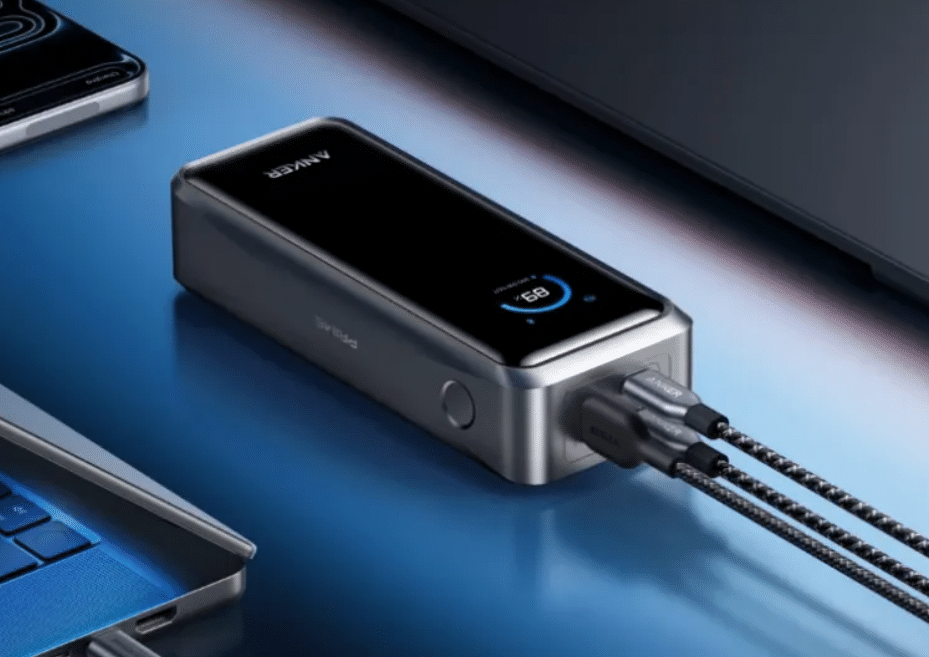
Power banks provide portable electricity for phones, tablets, laptops and other electronic devices when wall sockets are unavailable. They are useful for travelling, commuting, working remotely and keeping essential devices charged during power cuts. However, different models offer different battery capacities, charging speeds and connection options.
Understanding these specifications helps you choose a power bank that suits your devices and daily routine. This guide explains how power banks work, what their technical ratings mean, and how to compare capacity, compatibility, portability and safety before buying one.
What Is a Power Bank and How Does It Work?
A power bank is a portable battery that stores electrical energy and delivers it to other devices when needed. Most models recharge through USB or USB-C, although larger units may support other input connections. Their compact design makes them convenient for charging electronics away from conventional power sockets.
Main Components and How Power Banks Store Energy
A typical power bank contains a rechargeable battery, a control circuit, charging ports and protective components. Lithium-ion and lithium-polymer batteries are common because they provide substantial energy relative to their size and weight.
When you connect the power bank to a charger, its control circuit regulates the incoming electricity and stores energy in the battery. During use, the circuit converts the battery’s voltage into a suitable output for the connected device.
Protection systems monitor conditions such as current, voltage and temperature to help prevent unsafe operation. The quality of these components affects charging performance, reliability and battery longevity.
How Power Banks Charge Phones, Tablets and Laptops
Power banks supply electricity through USB-A, USB-C or other supported connections. When you connect a device, the charging system determines the power it can safely accept.
Phones generally require less power than laptops, while tablets fall between these categories depending on their size and capabilities. USB-C Power Delivery (PD) can provide higher charging power to compatible devices, including many modern laptops.
However, the power bank must support the device’s charging protocol and required wattage. A high-capacity battery alone does not guarantee fast charging, so check both the output rating and cable compatibility.
Power Bank vs. Portable Power Station
Power banks and portable power stations both store electricity, but they serve different purposes. A power bank is designed primarily for personal electronics and usually supplies power through USB connections.
A portable power station typically has a larger battery and may include an inverter that provides mains-style AC electricity. This allows compatible models to operate appliances such as refrigerators, lights and selected kitchen equipment.
Power banks are generally lighter and easier to carry every day. Portable power stations are more suitable when you need greater energy storage or power for devices that cannot run directly from USB.
Power Bank Specifications You Should Understand
Understanding a power bank’s specifications helps you compare models beyond their advertised capacity. Battery energy, output power, connection types and charging protocols all affect how useful a particular model will be.
Battery Capacity: What Do mAh and Wh Mean?
Power bank capacity is commonly advertised in milliampere-hours (mAh), which measures electrical charge. Watt-hours (Wh) measure energy and provide a more direct way to compare batteries with different voltages.
You can convert mAh to Wh using this formula:
Wh = mAh × Battery voltage (V) ÷ 1,000
For example, a battery rated at 10,000mAh and 3.7V stores approximately 37Wh of energy. However, the energy delivered to a device is lower because voltage conversion and charging involve losses.
A larger capacity generally allows more charging cycles, but actual performance depends on the device’s battery size, power consumption and charging efficiency. Compare both capacity and output ratings when selecting a power bank.
Charging Speed, USB-C PD and Wattage
Charging speed depends on the power delivered to the device, measured in watts. You can calculate power by multiplying voltage by current:
Power (W) = Voltage (V) × Current (A)
For example, a 5V, 2A output supplies 10W, while a compatible 9V, 3A connection supplies 27W.
USB-C PD allows compatible devices and chargers to negotiate suitable voltage and current levels. Other charging protocols may also affect performance. To achieve the fastest supported speed, check the power bank’s output, the device’s charging requirements and the cable’s capabilities.
A higher wattage rating does not force a device to accept more power than it supports. The actual charging rate depends on the capabilities of both devices and the negotiated charging mode.
Ports, Compatibility and Multiple-Device Charging
The number and type of ports determine which devices you can charge simultaneously. USB-A remains common for older accessories, while USB-C supports a wider range of charging speeds and modern electronics.
Check whether the power bank can supply sufficient power when several ports operate together. Some models reduce the output available to each port when multiple devices are connected.
Also consider whether the power bank supports pass-through charging, which allows it to charge connected devices while recharging itself. This feature can be convenient, but availability and operating limitations vary by model.
How to Choose the Right Power Bank
The right power bank depends on which devices you use, how often you need extra power and how much weight you are willing to carry. Start with your everyday requirements rather than choosing the model with the largest advertised capacity.
Choose Capacity Based on Your Devices
For occasional phone charging, a smaller power bank may provide enough energy without adding much weight. If you travel frequently or need to recharge a phone several times, a higher-capacity model may be more practical.
Laptop users should check both battery capacity and USB-C PD output. A power bank may store enough energy to help recharge a laptop but still lack the wattage needed to charge it while in use.
Consider Size, Weight and Portability
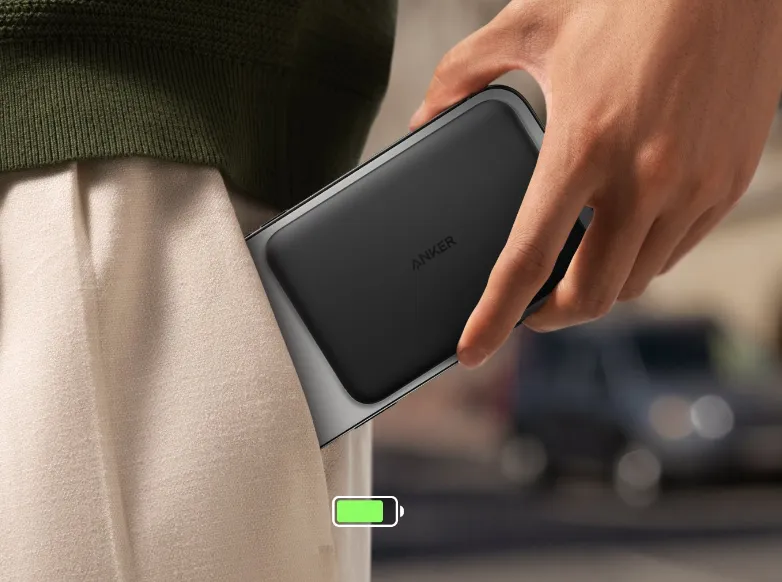
Capacity usually affects the size and weight of a power bank. Compact models fit easily into a pocket or small bag, while higher-capacity versions are better suited to backpacks and longer journeys.
Think about how you will carry the device and how frequently you will use it. If you mainly need emergency phone power during a commute, portability may matter more than maximum capacity. For extended travel, additional stored energy may justify a larger unit.
Check Battery Safety and Travel Restrictions
Choose Power Banks with appropriate electrical protection, clear capacity labelling and reliable charging specifications. Avoid damaged units, stop using a power bank that becomes unusually hot, and follow the manufacturer’s instructions for storage and charging.
Air travel also requires planning. Airlines commonly assess power banks using their watt-hour rating, and restrictions may apply to capacity, carriage and use during flights. Many airlines permit power banks up to 100Wh in carry-on baggage without special approval, but rules vary and larger batteries may require airline authorisation.
Conclusion
Power banks provide convenient portable energy for phones, tablets, laptops and other electronics. Understanding capacity, wattage, charging protocols and port compatibility helps you choose a model that meets your needs without unnecessary cost or weight.
Before buying, consider how much energy your devices require, how quickly they need to charge and how often you will carry the power bank. Check safety features and travel restrictions as well, so your chosen model remains practical for everyday use and trips away from home.