


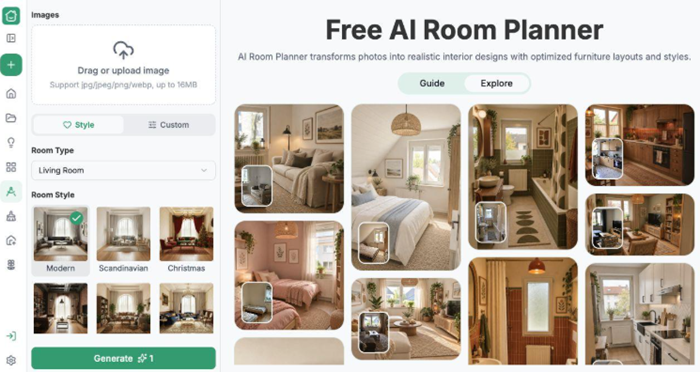
A small living room can feel crowded even when every piece of furniture seems necessary. Large visual blocks, competing colors, and an unclear arrangement can make it difficult to imagine a calmer alternative. AI Room Planner helps residents explore that alternative on a photograph of their own space. With RoomDesign and its online AI Room Planner, you can compare visual directions before moving heavy furniture or choosing replacements. The useful outcome is a clearer idea of what to simplify, followed by measurements to confirm what will work.
(RoomDesign room planning interface with its inspiration gallery.)
Name What Makes the Room Feel Crowded
Look beyond the general impression that the room is too small. Is the sofa visually dominant, are several finishes competing, or does furniture appear to block the connection between the doorway and seating area? Identifying the concern gives the generated concept a purpose.
Upload a photograph showing the main furniture and the room boundaries. Choose Living Room and a suitable style, or use Custom instructions to request a lighter visual arrangement. Describe the change you want to explore, such as simpler furniture forms and a more restrained palette. The tool can help you see a different composition instead of repeatedly rearranging the same ideas in your head.
Compare Visual Weight, Not Just More Empty Floor
Generate a concept and examine the relationship between the sofa, storage, rug, and surrounding surfaces. A room can look calmer because the colors connect more quietly or the furniture shapes feel less bulky. Identify which of these changes contributes to the effect you want.
RoomDesign makes that comparison concrete, but the generated image is not a measured space plan. Check whether it has widened the room or altered an opening. If the apparent improvement depends on different architecture, do not use it as proof that your existing room can accommodate the arrangement. Retain useful styling ideas and refine the request around the real space
 Use the Concept to Choose a Focused Change
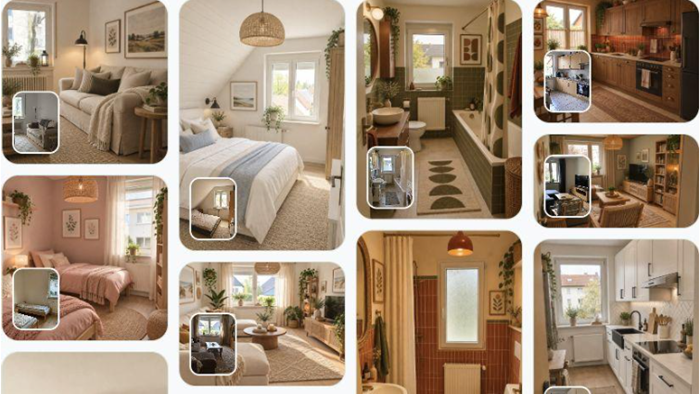
You may discover that a smaller-looking sofa, quieter rug, or more consistent storage treatment provides a direction worth pursuing. Choose the change that responds most directly to the original problem. A complete replacement of everything in the preview is not necessary to learn from it.
Save the preferred image and describe the qualities you want in real products. For a sofa, this could be a less bulky silhouette or a lighter upholstery direction. For storage, it could be fewer competing finishes. The feature helps connect those choices to the overall room, so the next purchase is considered as part of a composition rather than an isolated object. Keep a note of furniture that must remain. If the concept solves the crowded feeling by removing a necessary seat or storage unit, it has answered a different question. Revise the request to include that need before treating the proposed direction as useful.
Check the Real Room Before Moving or Buying
Measure the candidate furniture and the spaces around it. Confirm door operation, walking routes, and access to existing fixtures using the actual room. A visual preview can suggest a direction, but it cannot establish those clearances from an image alone.
Try the simplest practical change first when it makes sense, then assess whether the room feels closer to the chosen direction. If your priorities change, return to the same source photo with a more specific brief. This makes AI Room Planner a tool for exploring and refining the room, while the physical measurements keep the proposed improvement connected to everyday use.
Conclusion
Describe the source of the crowded feeling, compare the visual weight of the main pieces, and verify dimensions before acting. Focus on the change that addresses the problem most directly.
RoomDesign (https://roomdesign.io/ai-room-planner) helps residents explore a calmer direction for a small living room. Upload your current space and use the preview to identify furniture and styling choices worth investigating.
Try RoomDesign: https://roomdesign.io/ai-room-planner