


How to Set Up a Robot Vacuum and Mop Combo Before It Runs Alone
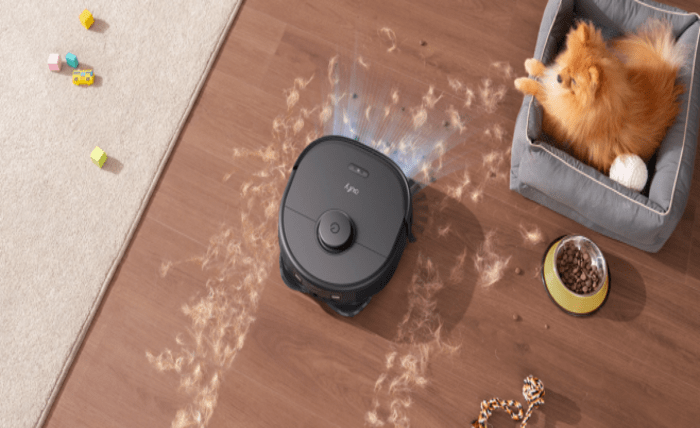
You can unbox a robot vacuum and mop combo, set it on the floor, hit start, and walk out the door. Plenty of owners try that on day one. Robot vacuum mop combo first-time setup works better when you treat the first pass as a layout lesson, not a cleaning run. Skip the prep and you might come home to a wet rug edge, a cord around a wheel, or a map that stops halfway down the hall. The sections below cover floor prep, dry mapping, no-mop zones, water settings, and what to watch during the first wet clean before any schedule feels safe.
Clear the Floor and Set Up the Dock
Mapping starts with the floor, not the app. Before the first pass, walk through your home at ankle height and clear what you see. Cords, loose fabric, and low clutter can snag brushes and throw off the map.
Remove Cables and Small Objects
Clear the floor the way you would before a baby starts crawling. Pick up socks, cords, small toys, and anything thin enough to slide under furniture.
- Cords and chargers should come off the floor, especially thin phone cables that can wrap around a brush.
- Shoelaces and drawstrings should be tucked away near entry benches and closet doors.
- Pet toys and lightweight bowls should be moved before the robot treats them like furniture.
- Loose socks and small towels should be picked up, since fabric is good at stopping a brush and bad at improving a map.
- Low curtains and bed skirts should be lifted if they brush the floor.
This is not a forever routine. You are giving the robot a clean first look at the layout. On day one, a single snagged cable can turn a normal mapping run into a reset.
Choose a Permanent Dock Location
The dock needs a permanent spot that is easy for the robot to find. Hard flooring usually works better than carpet here, mostly because the return path stays more predictable. Leave open space in front and a little clearance on both sides. A neat corner between a trash bin and a shoe rack still traps the return route more often than it looks.
Once you find a spot that works, treat it as fixed. Moving the station after mapping tends to scramble return paths, especially in narrow halls or rooms that look alike to the sensors. If placement is still a guess, pick a location before the first map rather than after a few scheduled runs.
Open or Close Rooms Strategically
Open doors to any room you want in the first map. For areas you are not ready to manage in the app yet, a closed door still beats a digital rule you have not drawn. That might mean a cluttered walk-in closet, the litter box corner, or a craft table with thread across the floor. App boundaries help after the map exists. Until then, physical doors do the heavier lifting.
Run the First Dry Mapping Pass
On day one, a full clean feels like the whole point. The battery is full, the dock looks sharp, and the app is finally connected. Pressing start seems like the obvious next step. Hold off anyway.
A hybrid cleaner has more ways to make a small mistake visible than a vacuum-only robot. If it explores with wet mop pads before the map is reliable, it may drag moisture across a rug, pause on a threshold, or wander into a room you meant to block later. Nobody wants a damp stripe across an expensive rug.
Start with vacuum-only or mapping mode. The app label varies by model, so check your manual if the option is not obvious. Different eufy robot vacuum models use different names, but the first step is always the same. Finish one full dry pass before you fill the tank or attach wet pads. Stay nearby enough to free a stuck wheel or move a chair someone left out, but avoid carrying the robot unless it is truly trapped. Interruptions during mapping can leave gaps that show up later as missing rooms or odd room splits.
The real job of this run is not to make the floor shine. It is to teach the robot where rooms begin, where the dock sits, what furniture creates tight passages, and which routes are realistic. Think of it as a driving lesson in an empty parking lot. The clean floor comes later.
Fine-Tune the Dry Map Before You Add Water
After the dry map finishes, open the app before adding water. This is the point where the map becomes a cleaning plan.
Set no-mop zones over delicate rugs, high-pile carpet, and any mat that holds water. Add virtual walls around pet feeding spots, cable clusters, and low furniture that trapped the robot during mapping. Rename rooms in plain language, such as Kitchen, Entry, Hall, and Primary Bath, so future schedules are easy to understand.
Room boundaries may need one quick edit. A dining area might be grouped with the kitchen. A hallway may be split oddly if the robot paused near a threshold. Fix those details while the first run is still fresh in your mind.
Before the first wet clean, check four things.
- Every room you opened should appear on the map with a complete path through the doorway.
- Skipped areas.Look for blank corners, half-mapped rooms, or spaces the robot missed because of clutter or a closed door.
- Carpet protection.Rugs, mats, and carpet edges should sit inside no-mop zones.
- Dock return.Send the robot home from another room and make sure it reaches the station without wandering.
If the map looks wrong, delete it, clear the floor again, and remap before adding water. Fixing a bad map later takes more time than getting it right once. Mapping, dock placement, and mop setup also vary by model, which is worth considering if you are still choosing a eufy robot vacuum and mop.
Configure Water and Cleaning Settings Carefully
Once you add water, the robot is mopping real floors, not just running a dry pass. Give the first wet clean a little more care than the mapping runs that came before it. Fill the tank according to the manual, attach the pads correctly, and use only the cleaning solution the manufacturer allows. Random floor cleaners can foam, leave residue, or create smells inside the tank.
Fill the Water Tank Correctly
Do not overfill. Follow the marked line in the tank and confirm the pads are seated so water reaches the floor evenly. On models with a larger onboard tank, keep the first fill conservative until you see how your floors respond.
Start with Low Water Flow
On the first wet pass, keep water flow on low or medium. Bathroom tile might look fine at one setting while sun-hit older hardwood in the next room shows a damp sheen from the same level. Most homes mix enough floor types that one default rarely fits every room on day one.
Lightly dampening the mop pads can help on the first run if the model allows it. Wring the pads out well if you do this. Wet should not mean dripping.
Confirm Vacuum-Then-Mop Settings
A robot vacuum and mop combo can run both jobs from one button press. On day one, splitting them is usually safer. Let the vacuum pass finish so crumbs and dust are off the floor before any mop path goes down. That also makes it easier to see where the wet tracks actually land.
App labels vary. Sweep-then-mop, vacuum-then-mop, and two-pass room mode are the common names. Run the dry or vacuum pass on mapped rooms, glance at the floor for loose debris, then start the first mop at low flow. If the model only offers a single combined button, split the passes manually for the first week until the coverage pattern looks steady.
Supervise the First Cleaning and Verify the Results
Stay home for the first full mop. For first-time setup, three things matter most. Watch one complete wet run, compare floor coverage to the app map, and note trouble spots before you trust a schedule.
Check Full-Home Coverage
Compare what you see on the floor with what the app map shows. The robot should reach the same rooms it covered during dry mapping, including edges near baseboards, under tables, and along rug boundaries you marked as no-mop zones.
Watch for Problem Areas
Check the known trouble spots during the first wet pass.
- Rug edges should stay dry.
- Thresholds should not trap the robot.
- Chair legs should not create endless circling.
- Baseboards and corners should show whether the mop path reaches close enough for your expectations.
- The dock area should stay neat when the robot returns.
Know When the Robot Is Ready to Run Alone
After three consecutive clean runs with no trapped robot, wet rug, error, or half-finished room, you can schedule around real life. Start with a simple routine, such as one kitchen and entryway run after dinner, before trusting the robot with every room on a busy morning. Pick one day each week to check the dirty water tank, clean water level, dust bag or bin, and mop pads, because a reliable schedule still depends on the dock being ready when the robot returns.
A Practical Product Option After Setup
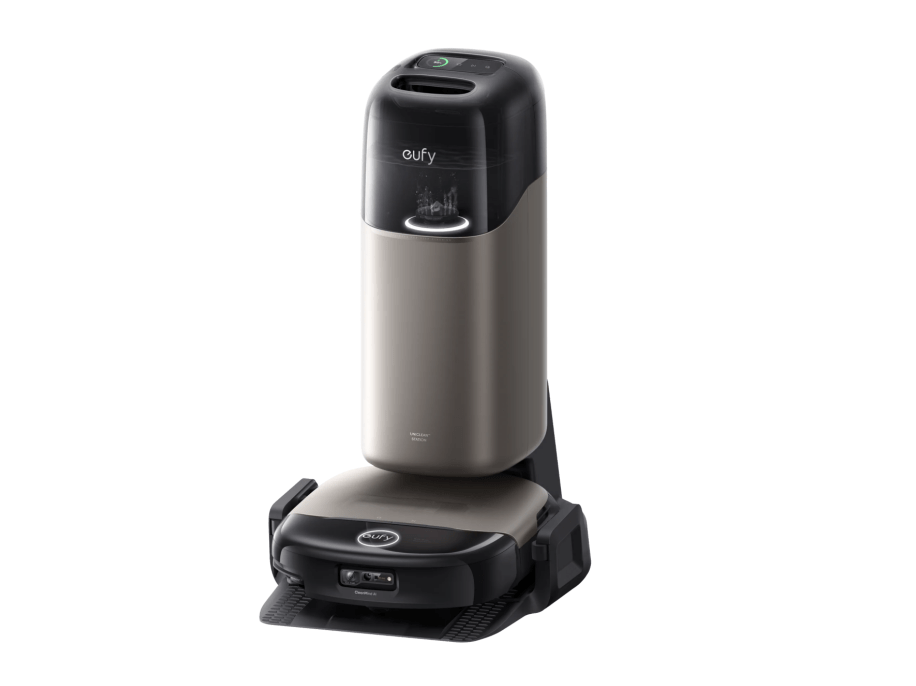
After the map, zones, and first schedules feel dependable, the next question is how much routine upkeep the dock can take off your hands. On the eufy Robot Vacuum Omni S2, the 12-in-1 UniClean™ Station handles between-run maintenance such as self-emptying, self-refilling, hot-water mop washing, hot-air drying, wastewater collection, and automatic detergent dispensing. The robot uses 30,000 Pa AeroTurbo™ 2.0 suction for the vacuum pass that should run before mopping, helping lift crumbs, dust, and pet hair from carpets and hard floors. Its HydroJet™ 2.0 self-cleaning roller mop applies 15N of downward pressure at 240 RPM, so dried kitchen marks and entryway grime get a more active scrub than a simple dragged pad. CleanMind AI with 3D MatrixEye 2.0 detects 200+ obstacles and customizes cleaning by room, while S2 can auto-adjust suction and height for carpets, lift the mop to help keep carpets dry, and avoid tassels. None of this replaces clearing the floor before the first map, but once the layout is proven, you may need less prep before each routine run.
Conclusion
Hands-off floor care starts before the first wet pass. Map dry on a cleared floor first. Check that every intended room appears and that home return works from more than one spot. Add no-mop zones and virtual walls before the tank fills. Keep the first wet runs low on water, vacuum before mop, and stay nearby long enough to catch a missed threshold or rug edge. Schedules can wait until those passes look boring.